Microsoft 365 Phishing Attacks: How Threat Actors Steal User Credentials
Microsoft 365 accounts remain attractive targets for phishing campaigns because they can provide access to email, cloud files and business systems. This article explains how credential phishing works, the warning signs users should recognize, and practical security controls organizations can use to reduce account compromise.
## Overview
Microsoft 365 is widely used by organizations for email, collaboration, document storage and cloud services. This makes Microsoft accounts attractive targets for cybercriminals attempting to steal usernames, passwords and authenticated sessions.
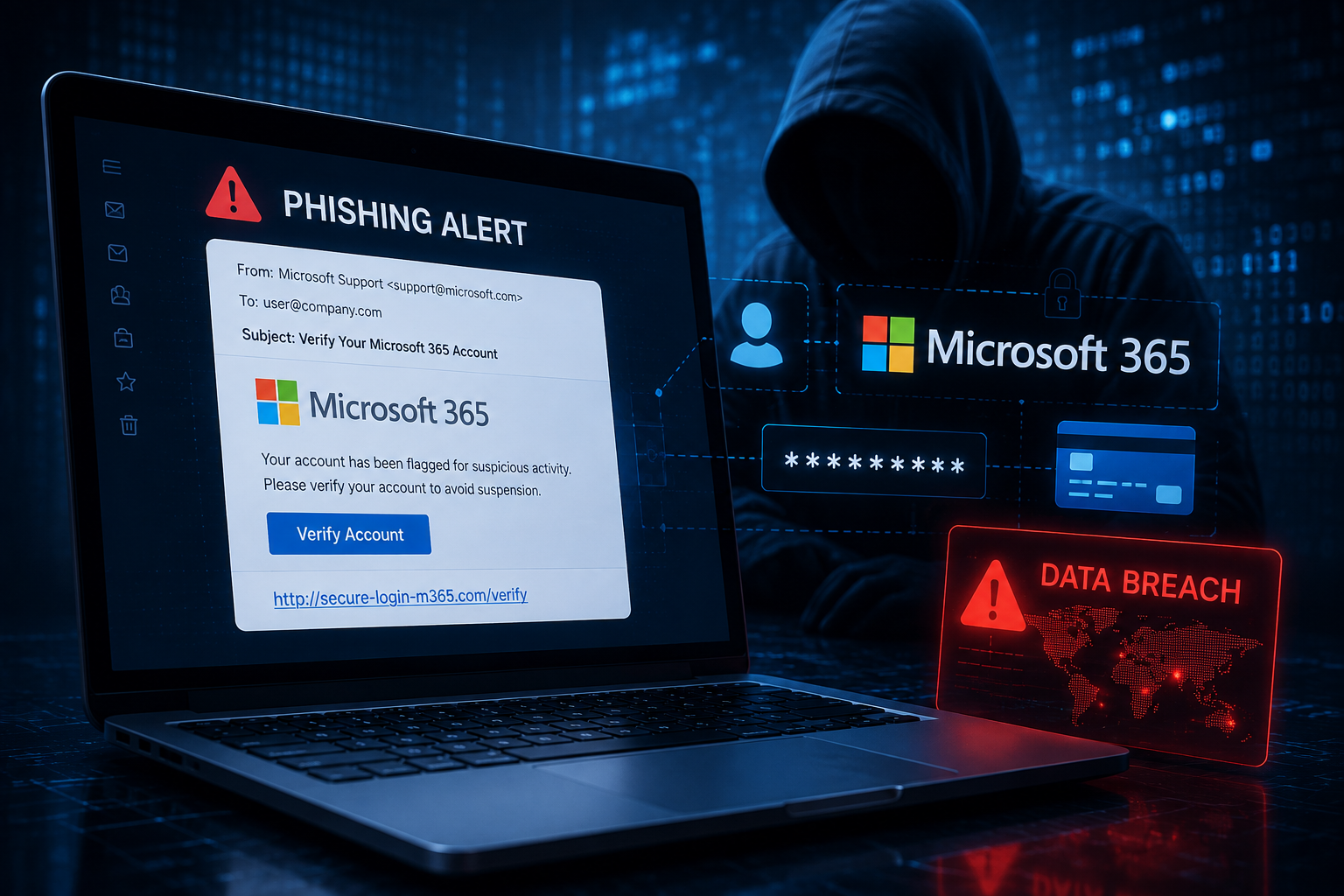
One common method is credential phishing. Attackers create messages and login pages designed to look similar to legitimate Microsoft services and attempt to convince users to enter their account credentials.
## How Microsoft 365 Phishing Attacks Work
A phishing campaign commonly begins with an email, message or other communication designed to create urgency.
The message may claim that:
• unusual activity has been detected • the user's password is about to expire • the account requires verification • a document has been shared • Microsoft 365 access will be suspended
The attacker then provides a link that directs the victim to a fraudulent login page.
If the victim enters their credentials, the information can be captured by the attacker rather than being submitted to Microsoft.
## Why Microsoft 365 Accounts Are Valuable
A compromised Microsoft 365 account can potentially provide access to more than email.
Depending on the user's permissions and the organization's configuration, an attacker may gain access to services such as email, cloud documents, collaboration platforms and other connected business applications.
A compromised mailbox can also be used to send convincing phishing messages to colleagues, customers or suppliers.
This can make account compromise particularly dangerous because messages sent from a legitimate account may appear trustworthy.
## Common Warning Signs
Users should be cautious when receiving unexpected Microsoft 365 login requests.
Common warning signs include:
• unexpected account verification messages • suspicious or unfamiliar website domains • urgent requests to reset a password • unexpected document-sharing notifications • unusual login prompts • spelling or formatting inconsistencies • requests for credentials after following an email link
Users should avoid signing in through suspicious links and instead navigate directly to the legitimate service.
## How Organizations Can Reduce the Risk
Organizations should use multiple security controls rather than relying on passwords alone.
Important protections include:
• enabling multi-factor authentication • using phishing-resistant authentication where practical • monitoring suspicious sign-in activity • applying conditional access controls • training employees to identify phishing attempts • restricting unnecessary account privileges • reviewing mailbox forwarding rules • maintaining appropriate incident-response procedures
Organizations should also investigate unusual authentication activity quickly because compromised credentials may be used shortly after they are stolen.
## What To Do If Credentials Are Entered Into a Phishing Site
If a user believes they entered their credentials into a suspicious website, the incident should be reported immediately.
The organization may need to reset the affected password, revoke active sessions, review recent authentication activity and investigate whether account settings or mailbox rules were modified.
Security teams should also determine whether the compromised account was used to access additional systems or target other users.
## Conclusion
Microsoft 365 phishing demonstrates why identity security has become an important part of modern cybersecurity.
Attackers do not always need sophisticated malware to compromise an organization. In some cases, convincing a user to provide legitimate credentials can be enough to gain access.
Strong authentication, user awareness, identity monitoring and rapid incident response can significantly reduce the risk of successful credential-based attacks.
## Sources and Further Reading
Microsoft Security — Microsoft security guidance and threat intelligence.
Cyber.gov.au — Australian Government guidance on phishing, multi-factor authentication and protecting online accounts.
CISA — Cybersecurity guidance covering phishing and identity protection.
HimalCyberX Research Group